Nobody knows what's happening on each PC
Without basic visibility, a small issue turns into a PC that's down all afternoon.
A panel with every machine's live status
Without an in-house tech team, every PC failure turns into an urgent call and a lost afternoon. Argos lets you fix many of those failures remotely, without going to the desk.
Demo environment · Fictional data
What slips past you today
Without basic visibility, a small issue turns into a PC that's down all afternoon.
Installing a program, restarting a service, or checking an error means waiting for someone to reach the office.
Updates, cleanups, and patches depend on someone remembering to visit every machine.
Demo environment · Fictional data
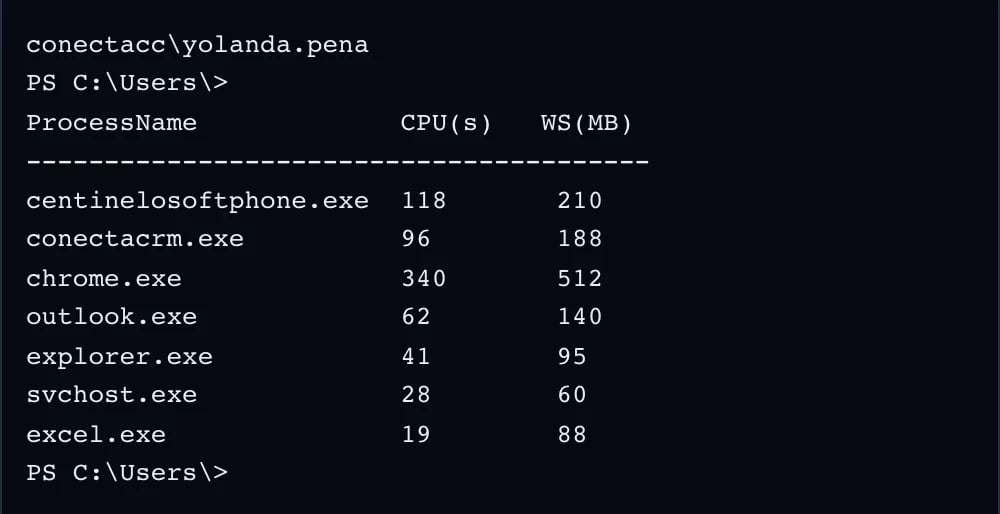
PowerShell on the remote machine, from the browser.
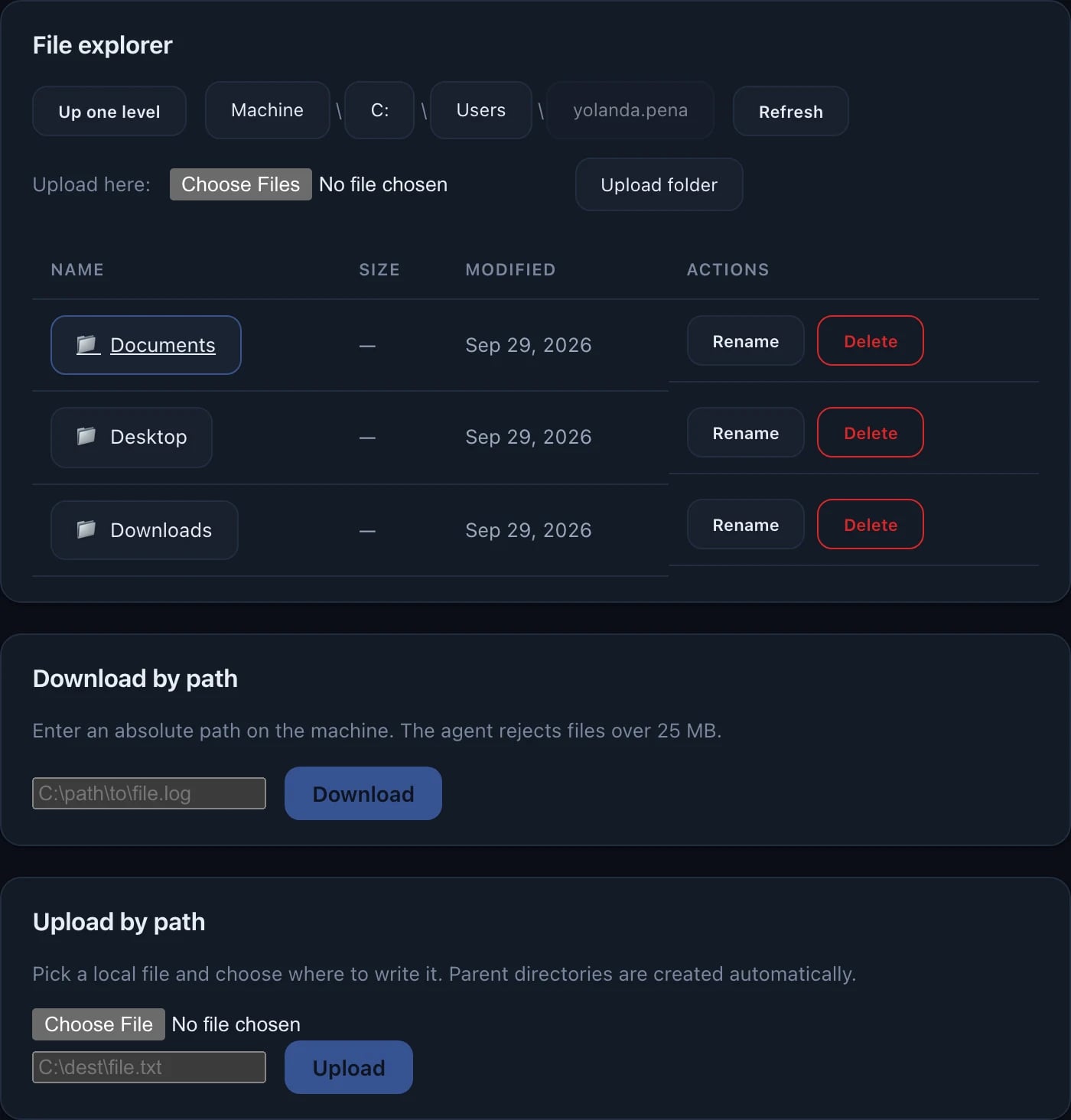
The machine's files, to upload, download, rename or delete.
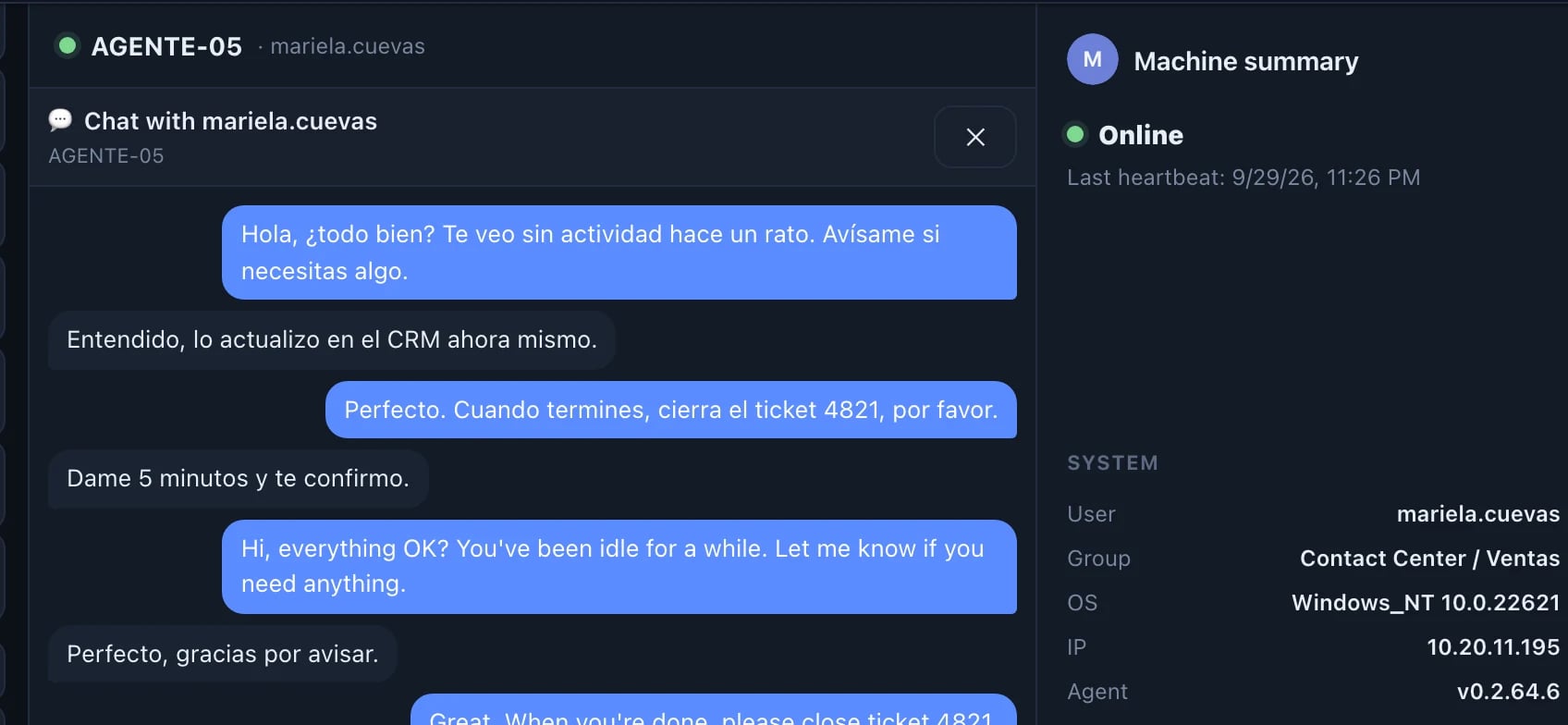
A chat with the person at the machine; the message pops up on their screen.
Functions you'll use every day
What you get
Monitoring with a clear purpose: less surveillance, more support. The user sees the agent, and every remote session is logged.
See the audit log in the demo →Resolve many issues without leaving your desk.